 DrumAngle.com | Drumming From A Different Angle
Get the Interactive Digital Version!
Scan this code with your phone to access the live, clickable version of this handout. You can bookmark it for future reference and get access to any future updates!
The Bulletproof Signal Chain
The entire system is a simple, 4-step chain. Understand this, and you’re 90% of the way there.
The 3 Biggest Myths… BUSTED!
The Myth
“The Latency is unplayable.”
The Reality & The Fix
A ~3-5ms delay is musically imperceptible.
The Fix: Use a quality interface with a 64-sample buffer.
The Myth
“It’s too complicated on stage.”
The Reality & The Fix
A pro rig is pre-programmed at home.
The Fix: Spend the time to create your presets ahead of time, allowing you to simply pick a preset and start performing.
The Myth
“It sounds robotic and fake.”
The Reality & The Fix
Modern software is deeply sampled to sound human.
Pro-Tips: Adjust velocity curves, use positional sensing, and leverage the “Humanize” feature.
Road-Tested Gear Recommendations
E-Drums
The e-drums featured in the masterclass are from Jobeky, a UK-based custom drum company. They offer high-quality kits that combine the look and feel of acoustic drums with the versatility of modern electronics, making them an excellent choice for VST-driven setups.
▶ View Jobeky E-drums in action!VST Software
Superior Drummer 3 and EZdrummer 3 are the suggested VST software applications and are what were used in the masterclass presentation.
- Superior Drummer 3: Flagship application for those who want maximum creative control. It features a massive library of drum sounds, unparalleled sound design tools, instrument stacking features, a robust mixer with high-quality effects/routing, and the most extensive e-drum configuration capabilities available.
- EZdrummer 3: A powerful, workflow-focused VST for getting great drum sounds quickly. It includes a multi-kit library of sounds, an easy-to-use mixer, a huge library of presets and configurable effects, and all the essential e-drum configuration options needed for a great performance.
Audio Interface
Any modern audio interface should suffice as long as you install the drivers for that specific module. Here are some excellent pro-level recommendations:
- PreSonus STUDIO 24c and 26c
- MOTU M Series (M2, M4, M6)
- MOTU Ultralite (mk3 used or latest mk5 model) – Great for multi-channel output
Pro Tip: Why 64 Samples?
A buffer size of 64 samples is the industry “sweet spot” for live performance. It provides latency low enough to feel musically instant (~3-5ms) while still giving your computer enough processing headroom to avoid audio glitches.
Drum Module (The “Translator”)
Roland modules are the industry standard, although any modern drum module will work with this setup. Just make sure it has MIDI output and configuration options to manipulate how the incoming performance MIDI is interpreted.
- Proven Workhorses: TD-12, TD-20 (Great value used)
- Studio/Flagship Power: TD-30, TD-50, V71
- Additional Options: TD-27, TM-6 (for simpler setups)
Computer Specs (RAM is Key)
- CPU: Most modern Intel or Mac M-chips are sufficient.
- RAM: 16GB is the suggested minimum. An older, dedicated laptop with 16GB RAM is a perfectly viable and cost-effective option.
The 6-Step Pre-Show Ritual
This 5-minute checklist prevents 99% of problems. Do it at every soundcheck.
Unlimited Creative Possibilities
Sound Stacking
Layer acoustic and electronic samples for unique hybrid sounds.
Mix & Match
Build your dream kit by pulling drums from different libraries.
Read The Room
Use room mics to instantly change from dry to huge and ambient.
Leverage Production Tools
Use EQ, compression and a variety of other built in effects to shape your sound.
Unlock Pro Techniques with These FREE Video Lessons
Dive into these FREE video lessons, taken directly from the full 7-hour course, to learn valuable techniques you can use today.
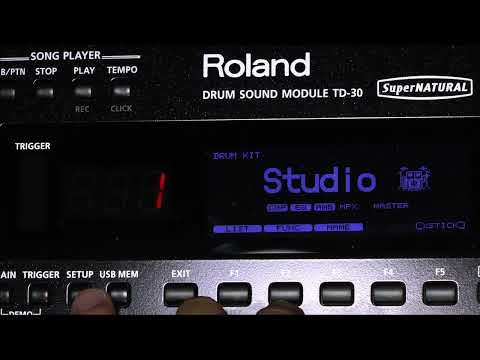
Optimizing Your Drum Module Settings
A look at the essential module settings you need to dial in for a flawless and accurate triggering response.
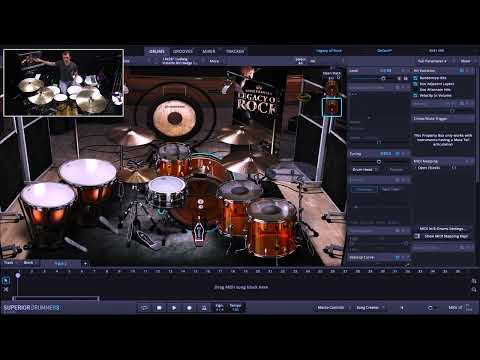
Creative Kit Stacking Techniques
Unlock powerful hybrid tones by learning how to stack kicks, snares, and other instruments from different sound libraries.
About the Author

Luke Oswald is a professional touring and session drummer with over 20 years of experience.
He specializes in leveraging modern VST technology combined with e-drums to create powerful, reliable, and expressive drum sounds for the stage and studio.
Subscribe to Luke’s YouTube Channel and follow his official DrumAngle.com platforms!
Your Next Step: Enroll in the Full Course!
E-Drum Mastery: The Complete Blueprint for Superior Drummer 3
This 7-hour video course is the definitive playbook that will save you YEARS of frustrating trial-and-error. You will learn:
- E-Drum Essentials: Go beyond the basics to master your module and VST settings. Eliminate double-triggering, capture every ghost note, and achieve flawless, expressive tracking.
- Essential Sound Design: Move beyond presets and learn to sculpt your own signature drum sounds from the ground up using advanced sound design techniques.
- Creative Drum Stacking: Discover the secrets of modern drum tones by learning how to layer samples, like stacking an acoustic snare with electronic samples for maximum impact.
- Pro Effects & Routing: Unlock a professional workflow by mastering multi-channel routing, parallel compression, reverb busses, and other essential mixing techniques.
As a thank you for attending, get an exclusive discount:
Enroll now and get 50% OFF with code:
(Offer available for a LIMITED TIME)
